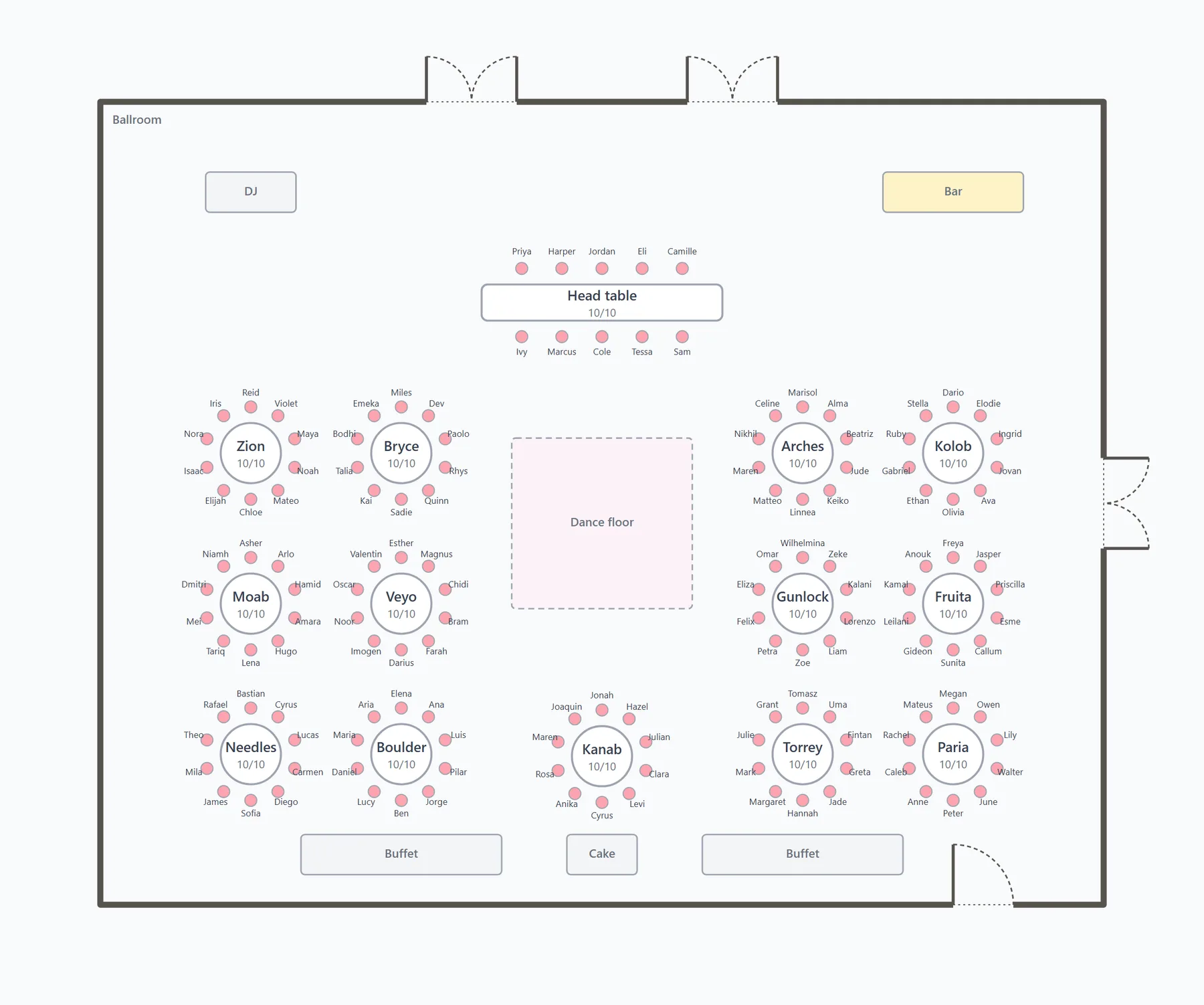
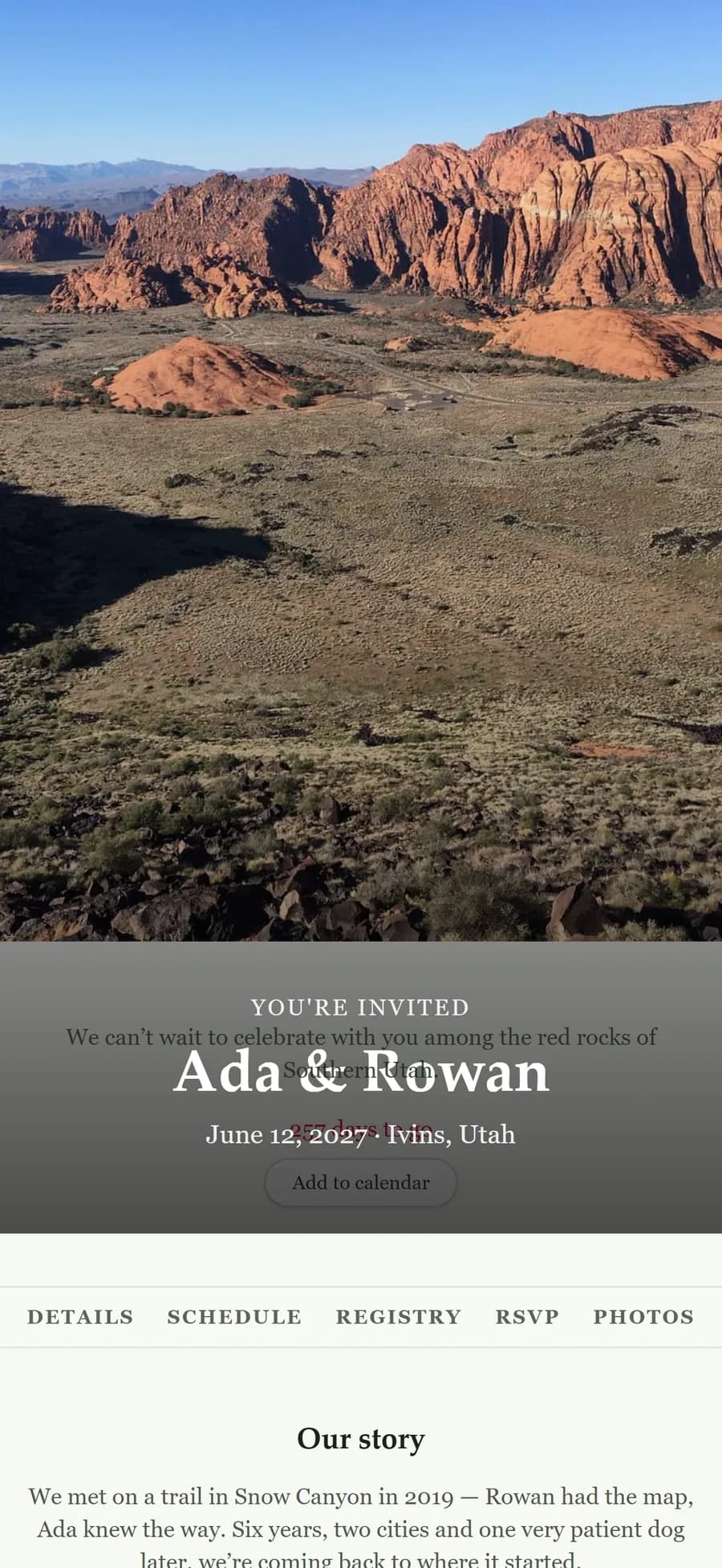
Your timeline, seating, guests and website live in one plan, not four apps. Couples plan on it for free. Planners run their whole book on it. Guests never need an account.
Seating
Seat the room you’re actually getting married in.
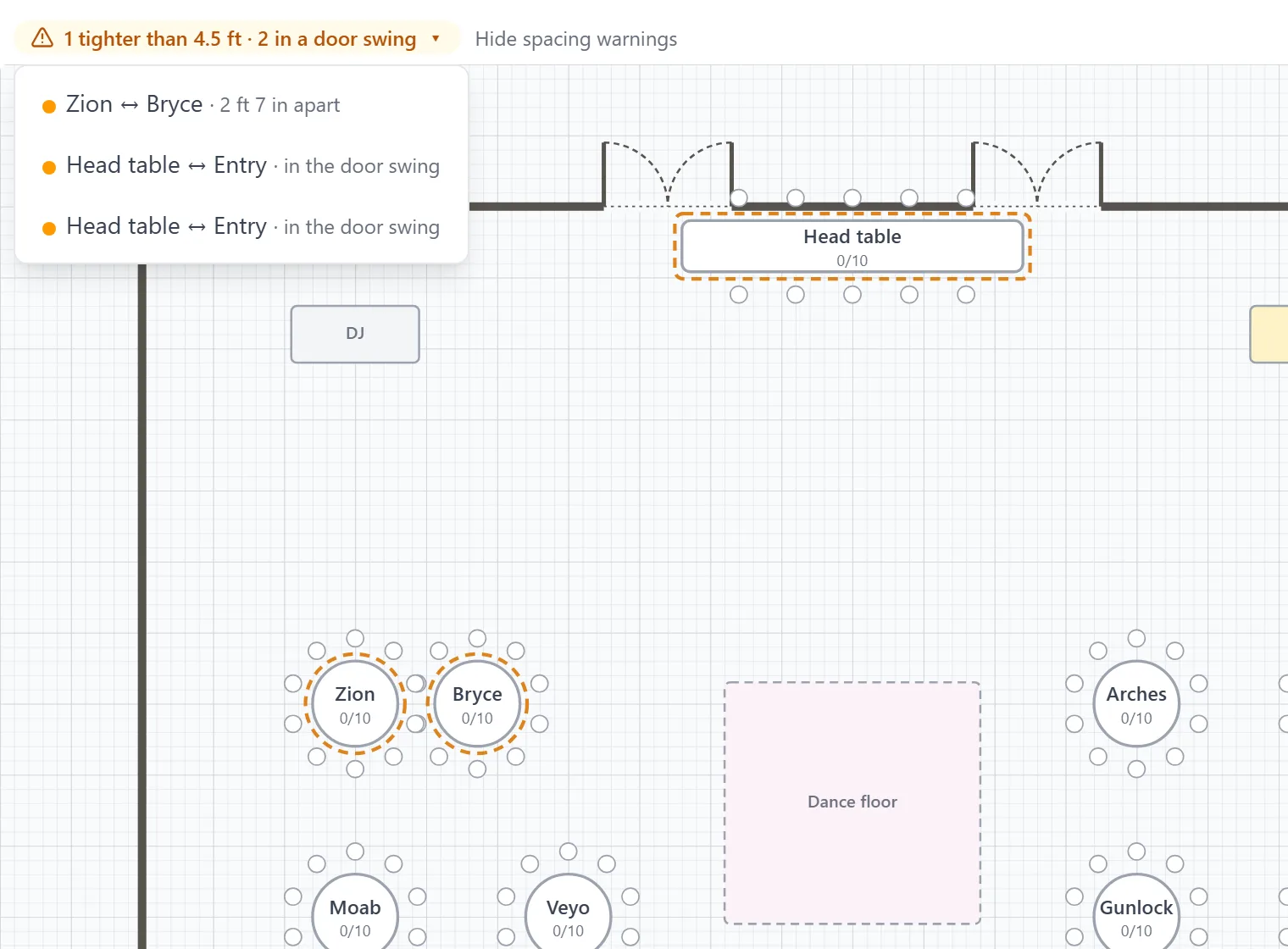
Tables, chair rows and the dance floor sit on a floor plan of your venue, measured in real feet. You're warned when a table blocks a door or a gap gets tight, before the rental order goes in.
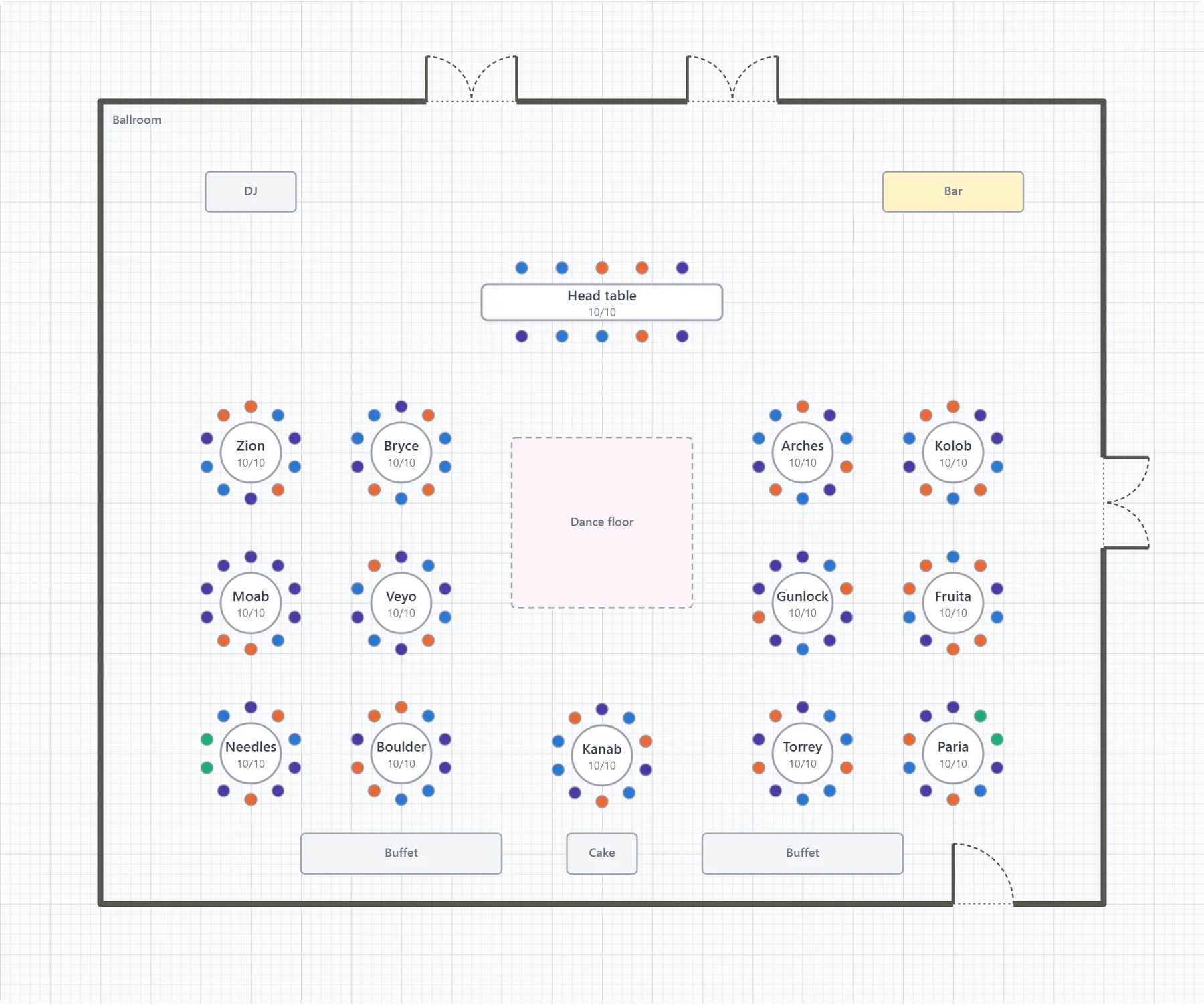
Find your seat. On the night, guests type their name on your website and see their table. No app, no account.
Walk it in 3D. Orbit the room, or walk it at eye height with the arrow keys, before anyone sets a chair.
Counted from the plan. A rental order and a catering list by table come straight out of the chart.
Day-of timeline
When the ceremony runs late, know what moves.
Start from a run sheet for a traditional day, an elopement or a destination wedding, and drag moments into place. Shift the ceremony thirty minutes and see every moment and vendor it touches before you commit.
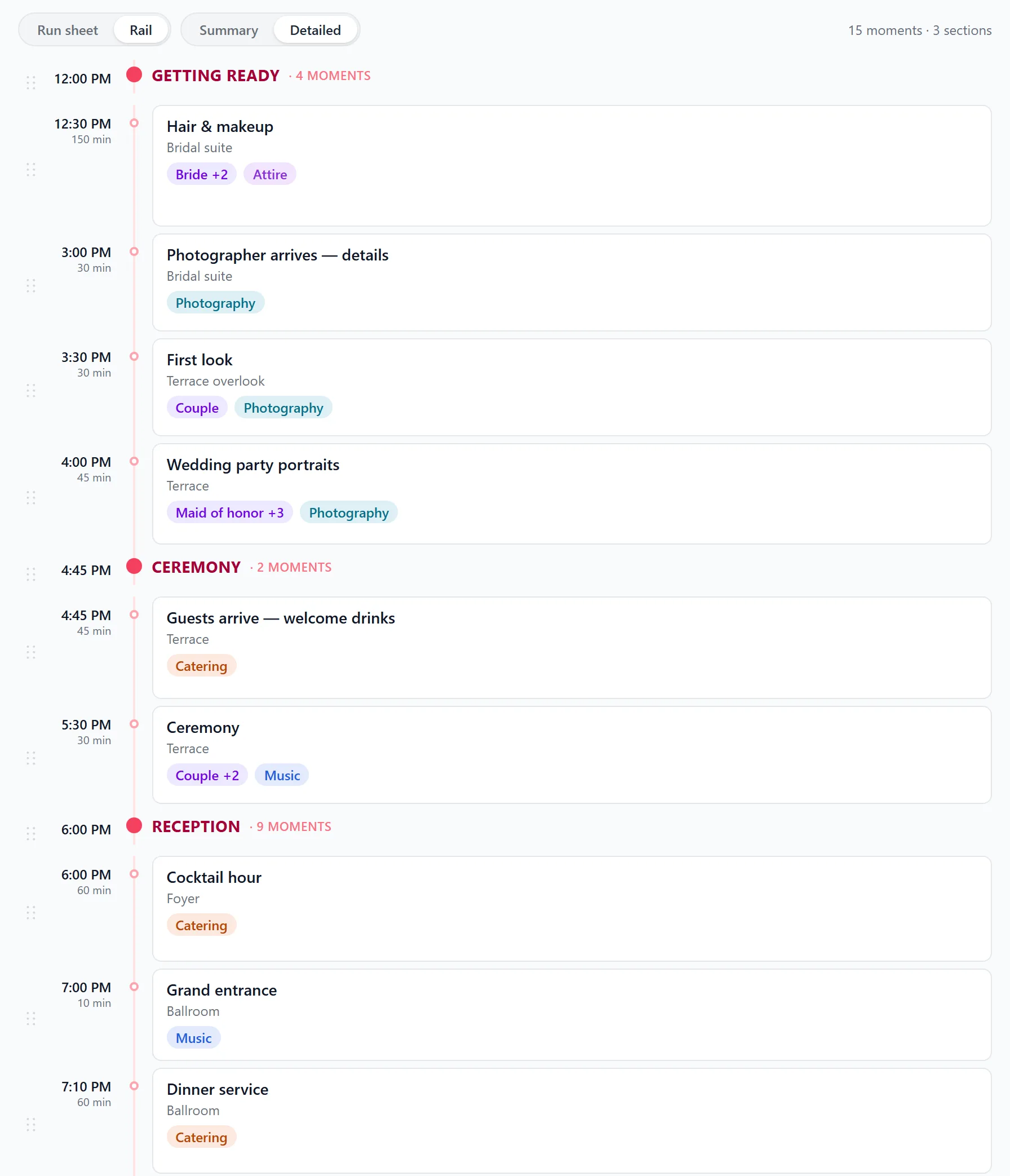
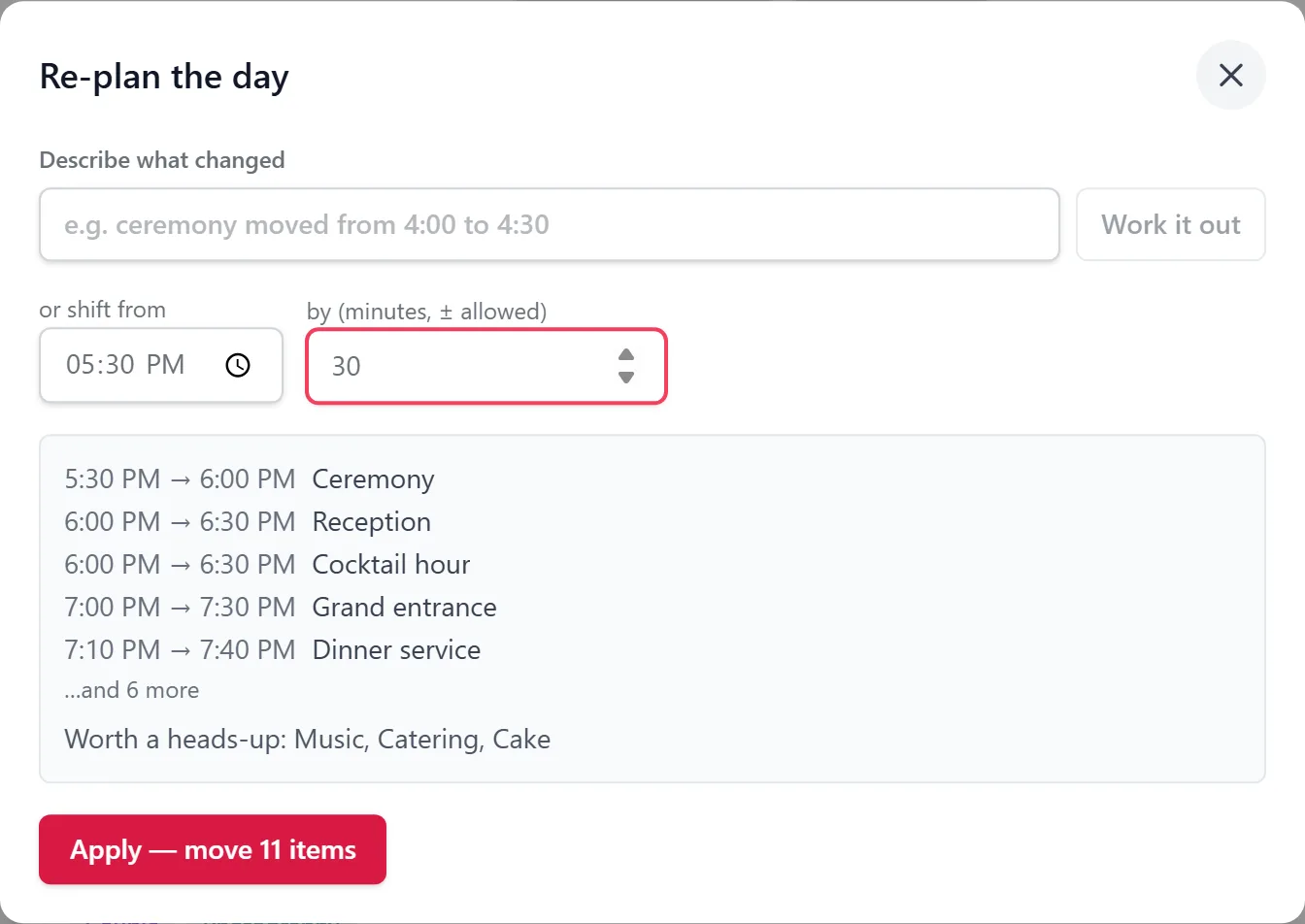
Vendors confirm from a link. No account to create. If a time moves, they’re asked to confirm again.
Print it for the venue. A clean run sheet, sections and all, for everyone working the day.
Guests & RSVP
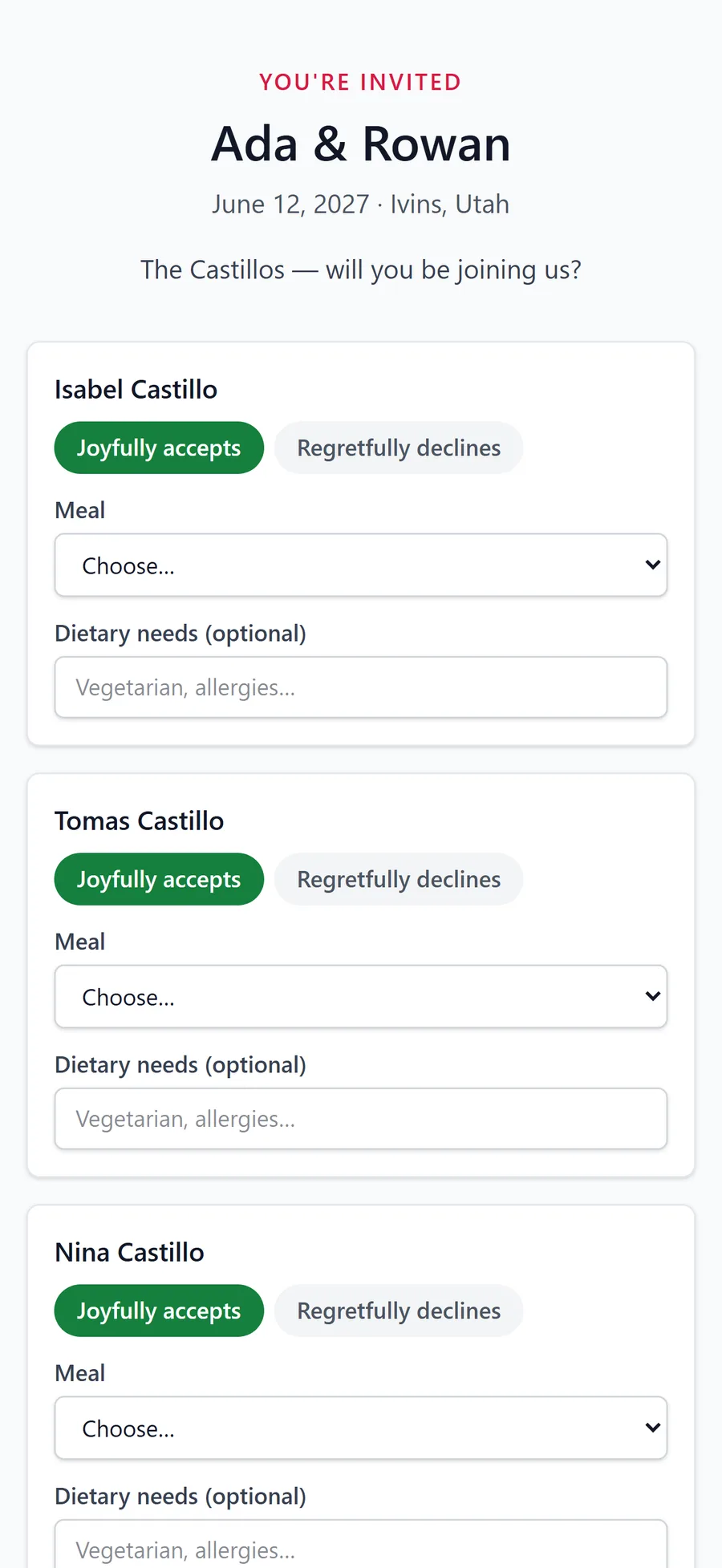
One link per household. No accounts.
Bring your list from The Knot, Zola or any spreadsheet, and duplicates are flagged before anything lands. Each household answers on one form: who's coming, each person's meal, dietary needs and plus-ones.
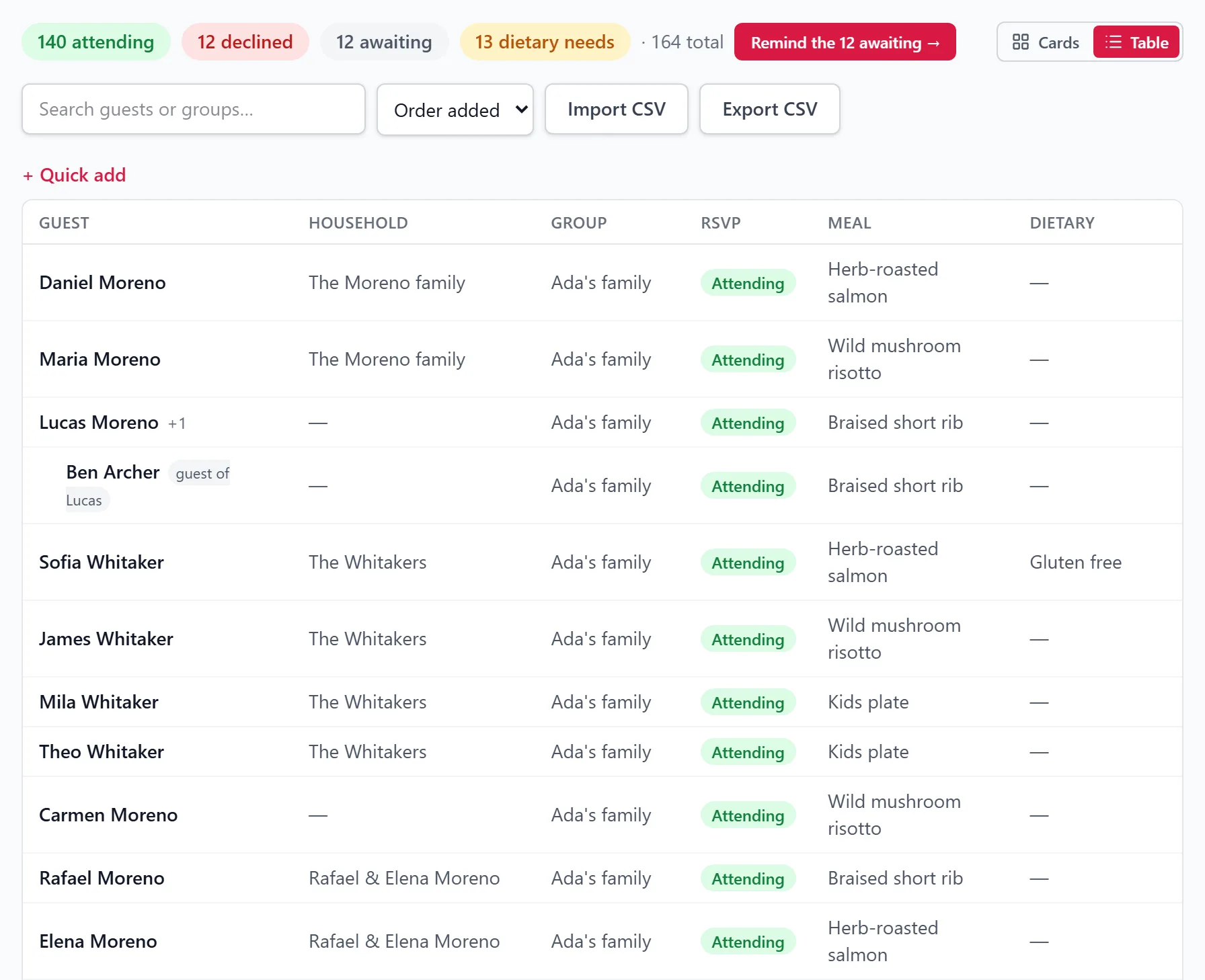
Reminders with manners. Nudge everyone who hasn’t answered in one tap, at most once a week each.
Nicknames welcome. Guests find themselves on your site by name, so Bob finds Robert, and nobody sees the list.
An answer for each event. Households reply to every event you invite them to, so each one gets its own count.
Your wedding website
A website that reads like your invitation.
The where and when, the schedule, RSVP, travel and stay notes, and a place to find your table. Five themes, edited with a live preview, then one link for everyone.
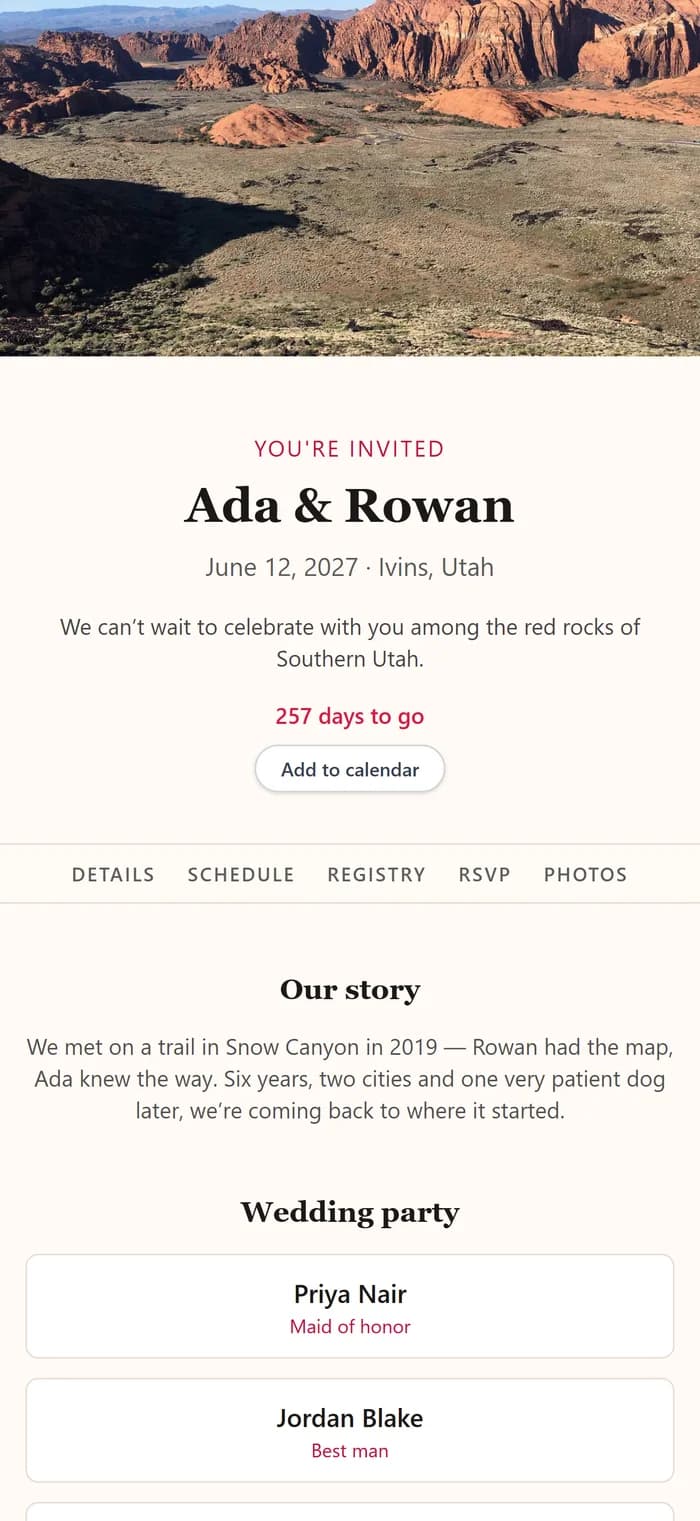
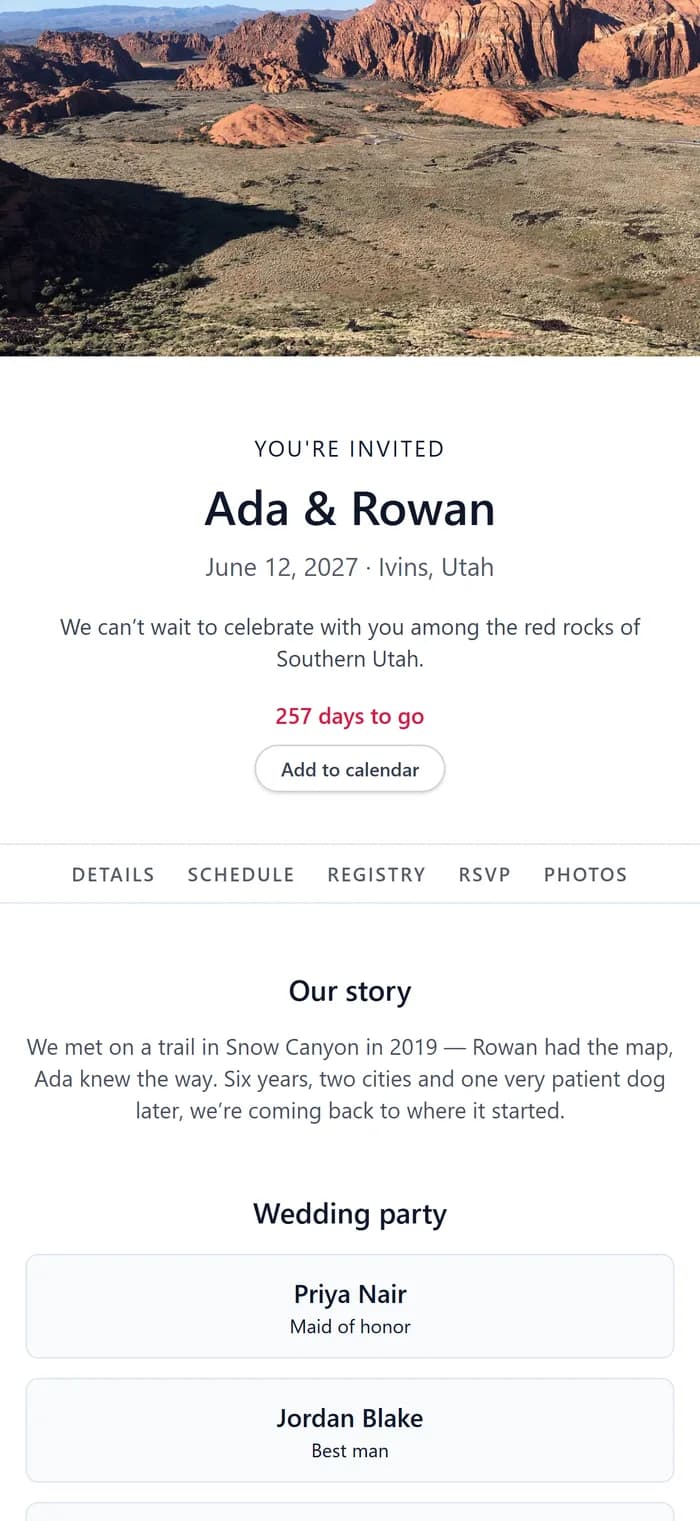
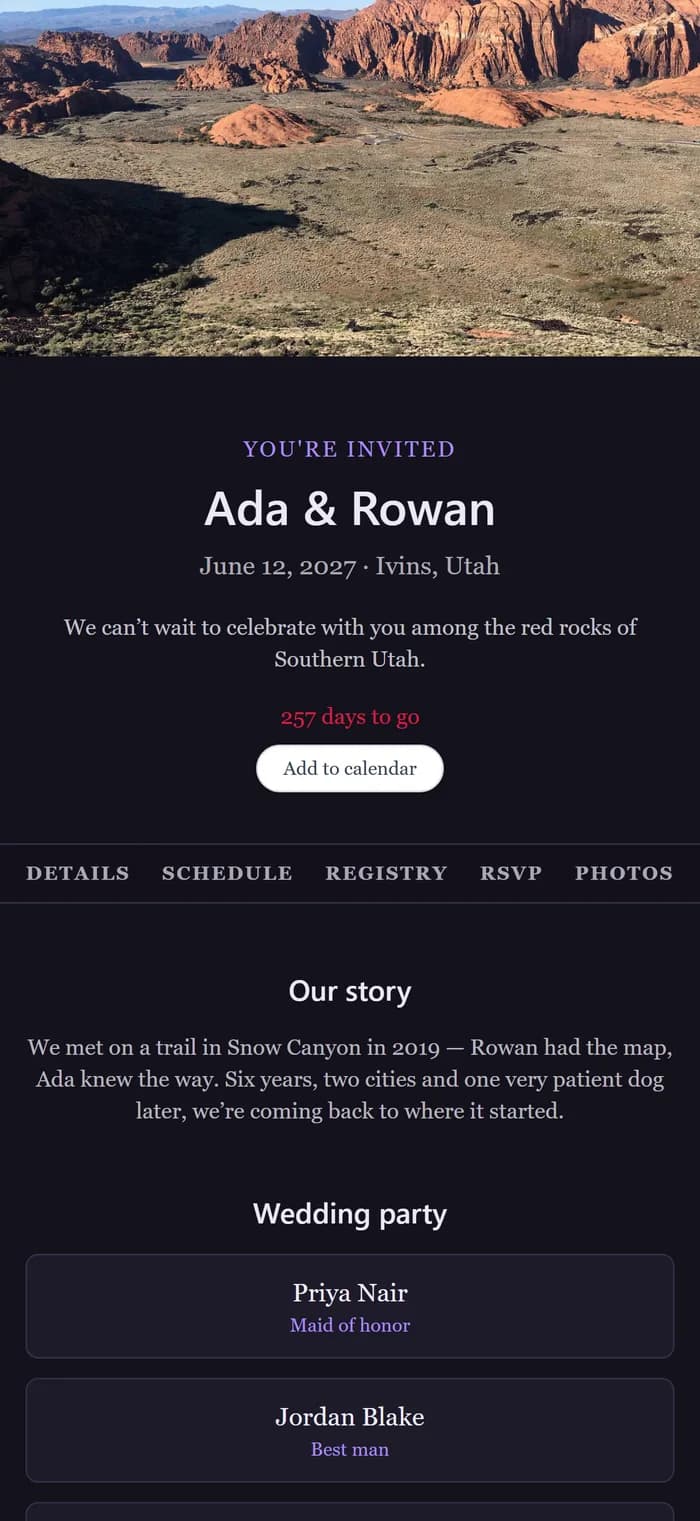
A password if you want one. And a switch that keeps search engines out.
Guestbook and photos. Nothing your guests post appears until you approve it.
Registry links, not a registry. Point guests to the stores and funds you chose.
Visit counts, not tracking. Daily totals, and nothing that follows your guests around.
Planning basics
The unglamorous parts, done properly.
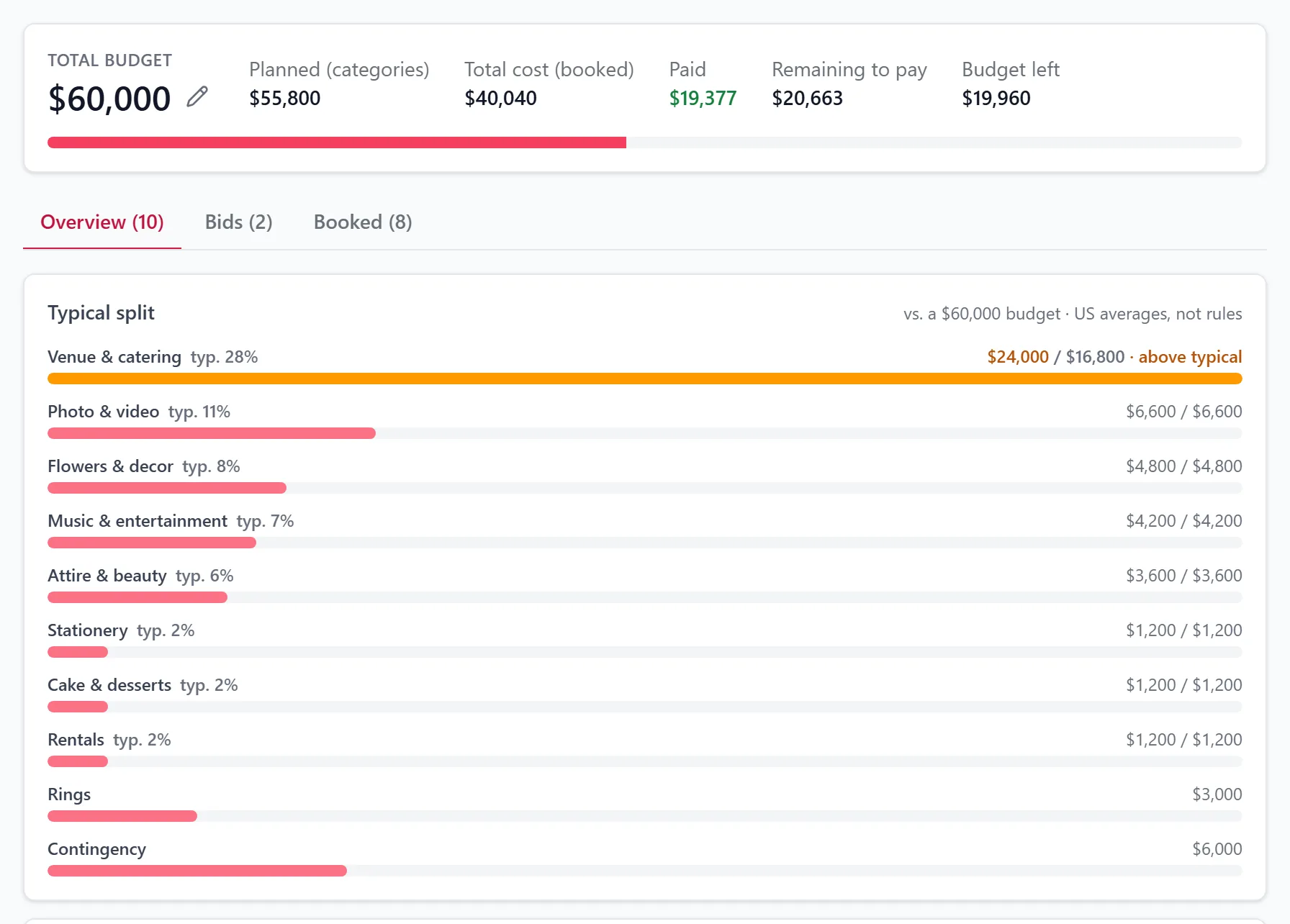
A budget that pushes back. Enter a total and see the typical split. Compare bids with what you booked, and get a reminder before each payment is due.
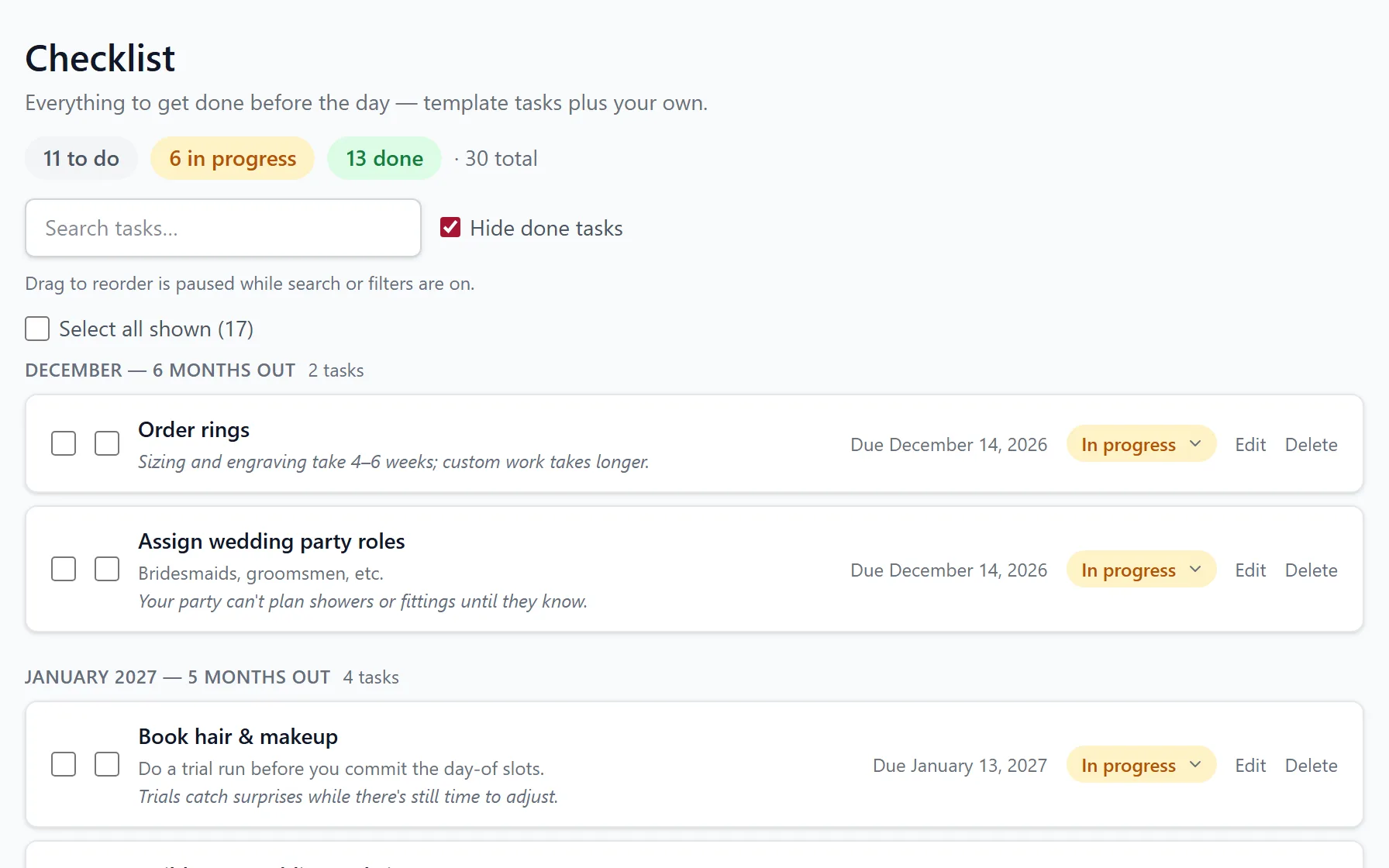
A checklist that dates itself. Pick a starter list and a depth, from essentials to every detail. Each task is due counted back from your day, with a line on why it matters.
A vendor directory, starting in Utah. Hundreds of Utah wedding vendors, from venues and caterers to officiants.3 Save a favorite once and it follows you to every wedding you plan, and planners can mark the ones they recommend.
Stationery that prints
The plan becomes the paper.
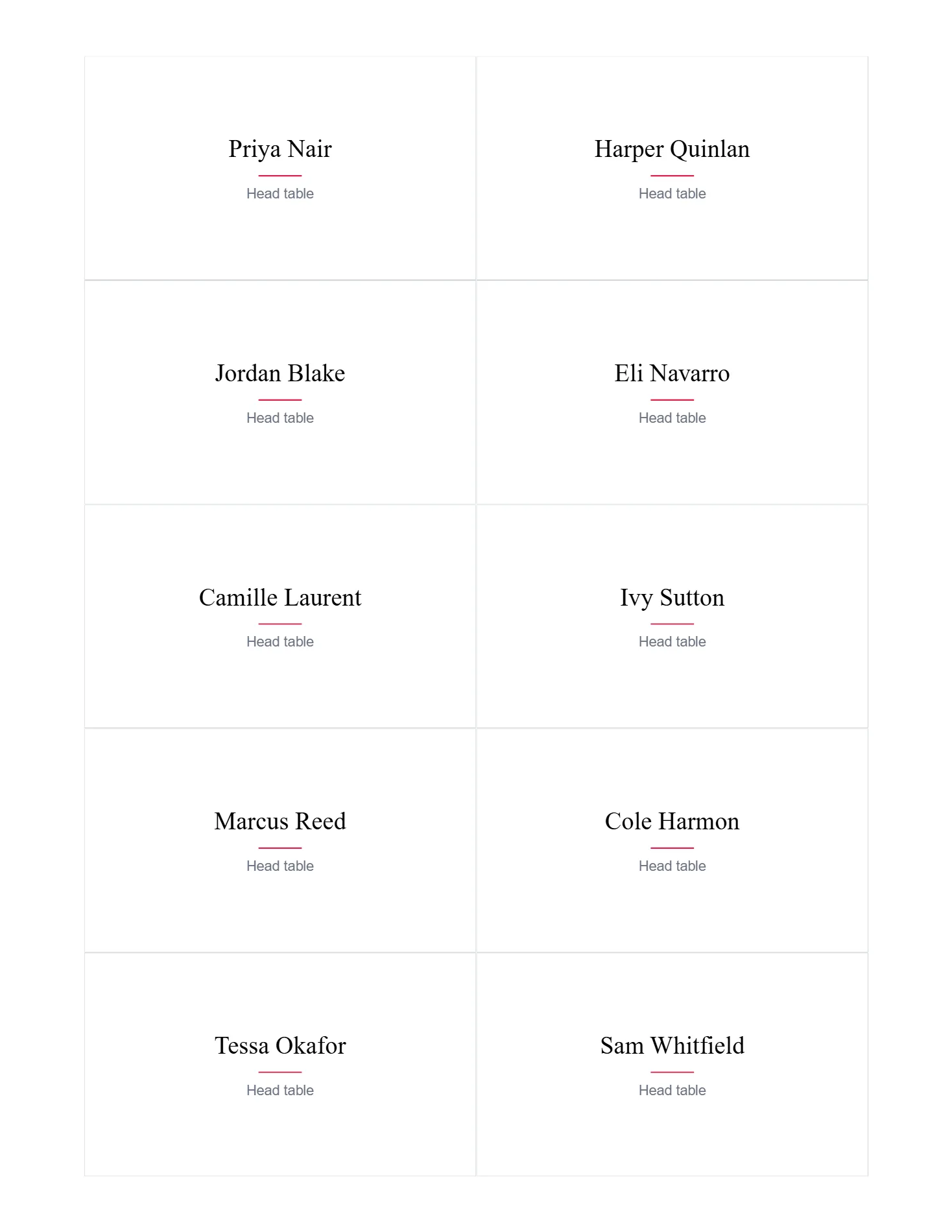
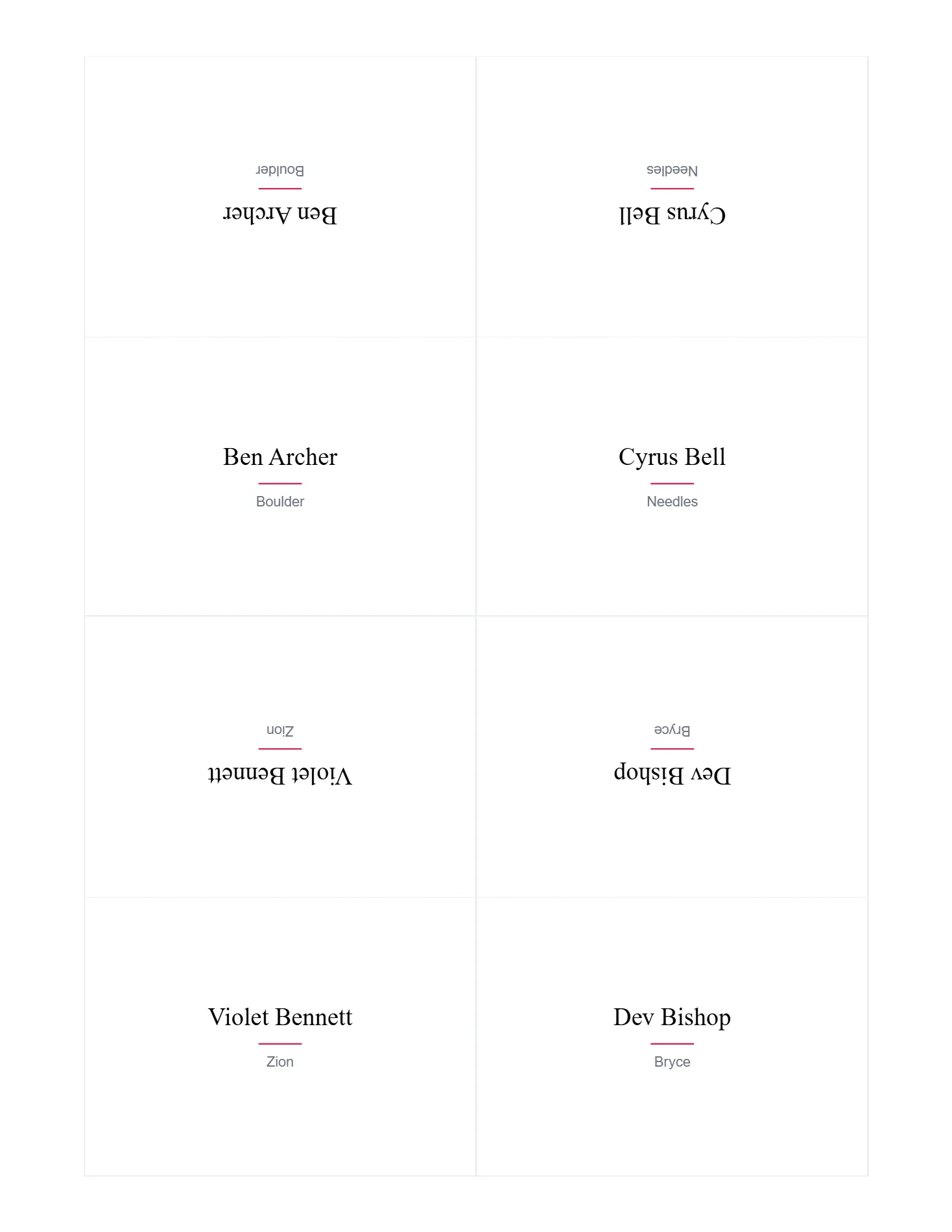
A Find Your Seat poster, escort cards, place cards and the day's run sheet, printed from the plan you already made, so a late seat change is one reprint away.

Caterer & vendor links
One link for the caterer, with only what they need.
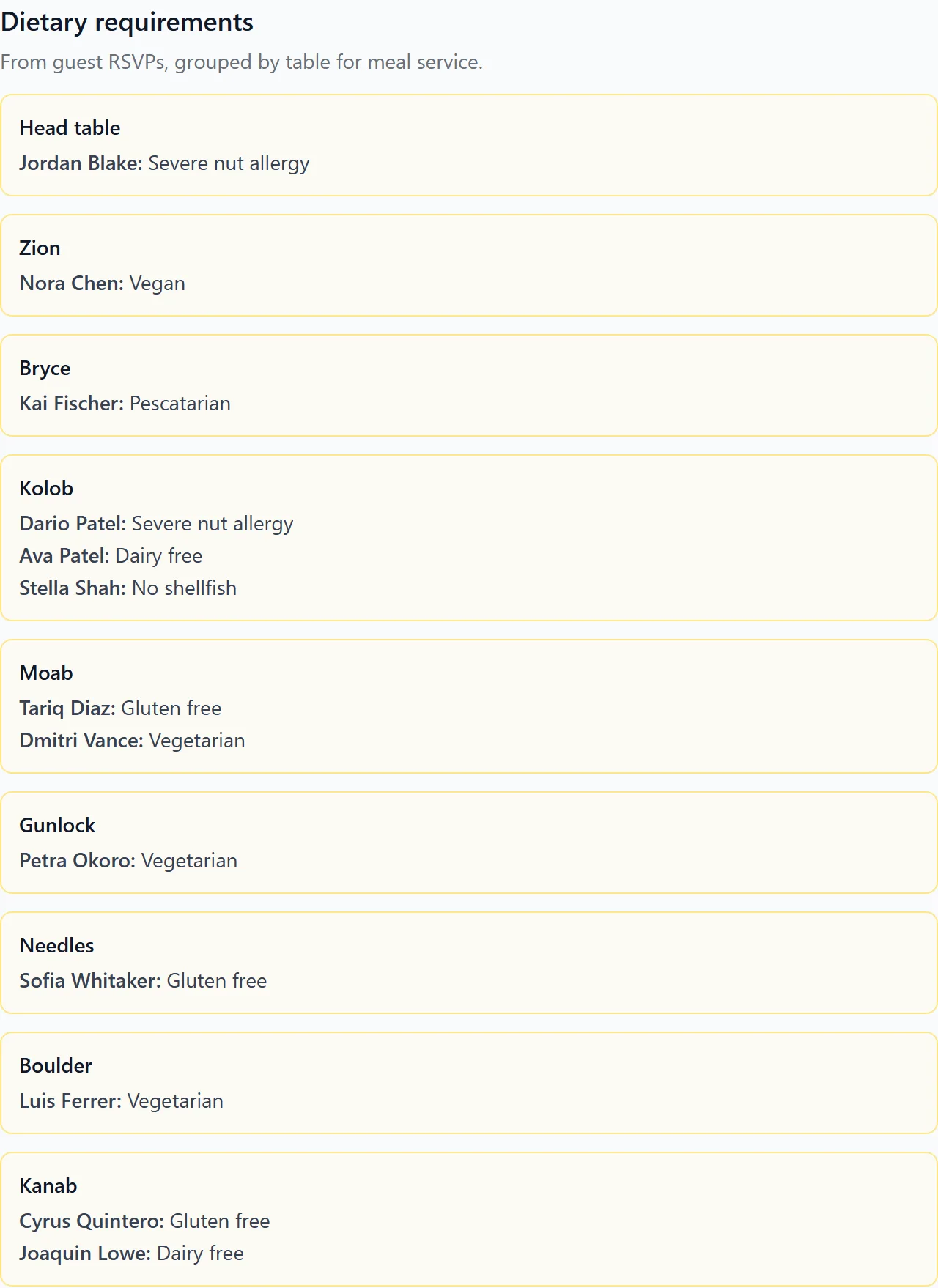
The timeline and the dietary needs grouped by table, with guest names and never phone numbers or addresses. They confirm each moment on the same page, and you revoke the link when the day is done.5
Every link is scoped to the person you send it to, and can be previewed exactly as they’ll see it.
Privacy
Privacy, in plain words.
What your guests tell you is used to run your wedding. That's all.
No trackers. No third-party trackers and no ad or analytics cookies. Cookies only keep you signed in or remember an unlocked wedding site.
Dietary needs are sensitive. Only the people running the wedding see them, and your caterer only if you share them. The public site never shows them back.
Links work like keys. Share and document links can be revoked at any time; a guest’s RSVP link ends when you remove them.
Your data stays yours. Download everything, export the guest list, or delete your account yourself.
Nothing is sold. We don’t sell your data. Card payments go through Stripe and never touch our servers.
For planners · Pro
From first inquiry to last dance.
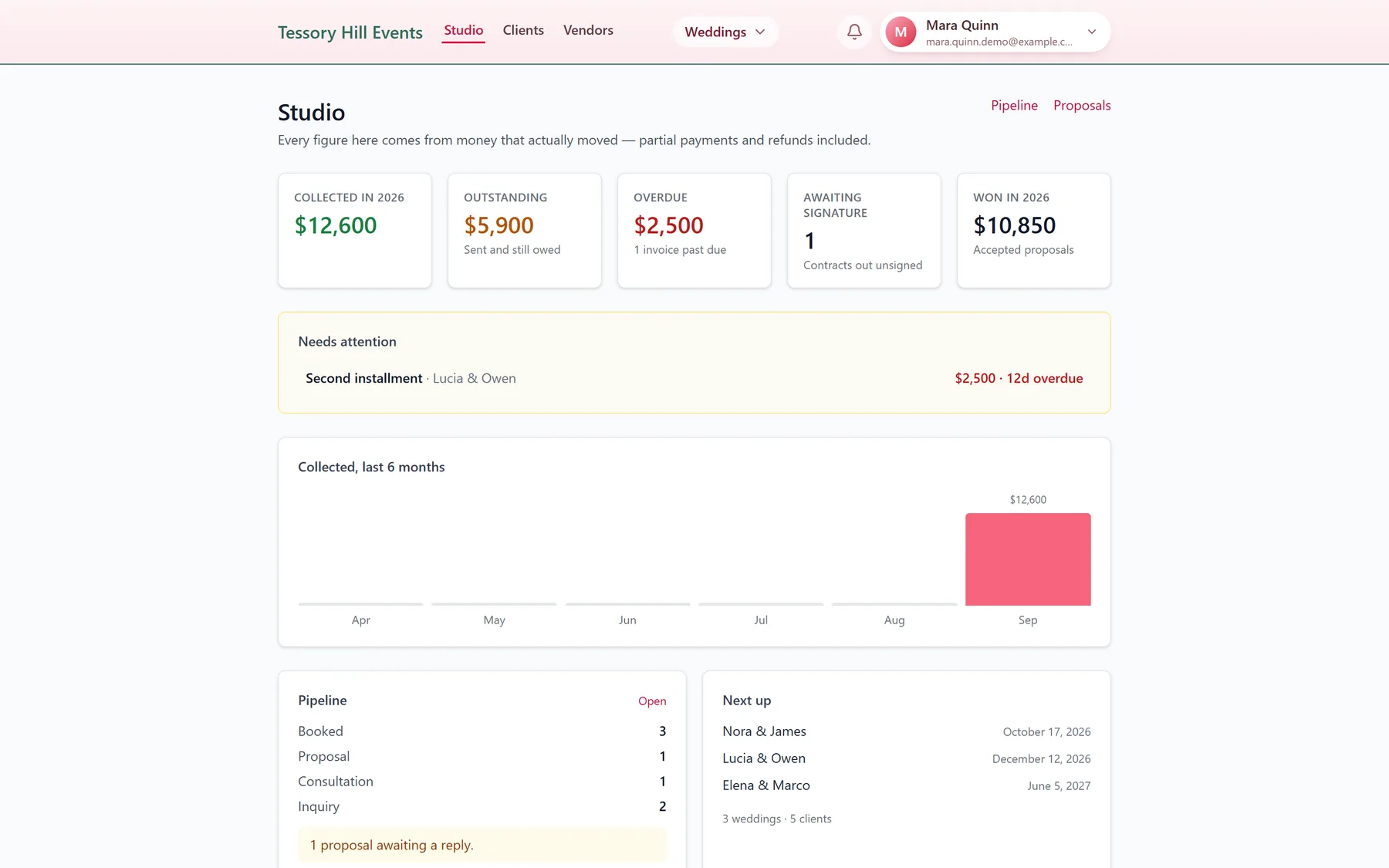
Pro is for planners running a business: unlimited weddings, a client pipeline, proposals that become weddings, a studio view and your logo on what clients see. Your couples plan in the same place you do.
- 1
Inquiry Every lead in one pipeline, with your notes on the card.
- 2
Proposal Send a proposal your client opens and accepts from one link.
- 3
Booked Accepting creates the wedding, the contract and the deposit invoice in one step.
Contracts and invoices are included on Free, too. Pro adds unlimited weddings and the business around them. See Pro for planners →
For venues and vendors
Your floor plan, where couples seat their guests.
Couples and planners lay out their tables on a venue's floor plan, and choose vendors from the directory. Claim your listing so what they find is yours.
Claim your listing, free. A code goes to the email on your listing, so only someone who can read that inbox can claim it.
Confirm your times. A vendor link shows your part of the day. Confirm or comment, no account needed.
Honest listings. Contact details are only what your business itself published.
Free and Pro
Free for your wedding. Pro for your business.
Free
One wedding, end to end.
- Timeline, seating, guests & RSVP, website
- Budget, checklist and stationery
- Contracts (e-sign) and invoices
- Three active share links per wedding
Pro
For planners running a business.
- Unlimited weddings
- Client pipeline, proposals and a studio view
- Your logo on invoices, contracts and the client portal
- Teams of up to 20 seats
Questions, answered plainly.
Can I sign up today?
BuildATimeline is in an invite-only beta. Leave your email and we'll write when a place opens. If someone already using it invites you to their wedding or their planning team, you can join from that invitation right away.
What does it cost?
Free covers one wedding from start to finish, with every planning tool included: timeline, seating, guests and RSVPs, website, budget, checklist, contracts and invoices. Pro is for planners running a business: unlimited weddings, a client pipeline, proposals, a studio dashboard and your logo on what clients receive. Pro pricing isn't published during the beta.
Do my guests need an account?
No. Guests RSVP from a personal link, a household link or your wedding website by finding their name. They look up their table there too, without signing in.
Is there a mobile app?
Not in the app stores yet. BuildATimeline runs in your phone's browser, and the seating editor switches to full screen for touch editing with pinch-to-zoom.
Can I bring my guest list from another site?
Yes. Guest-list exports from The Knot and Zola import as they are, and any spreadsheet with first and last names works. Duplicates are flagged before anything is added.
Who owns my data?
You do. From your account page you can download everything, export your guest list as a CSV, and delete your account yourself. Before anything is deleted you're shown which shared weddings carry on with your co-planner.
By invitation
Save your seat.
BuildATimeline is in an invite-only beta. Leave your email and we’ll write when a place opens.1
- BuildATimeline is in an invite-only beta. Leave your email to request access. If someone already using it invites you to their wedding or their planning team, you can join straight away.
- Screens show a demo wedding, Ada & Rowan, built in the product and captured from the running app. Names, guests and numbers are fictional, and the ballroom was drawn in the product rather than taken from a real venue.
- Library floor plans are a starting point, and most are simple room outlines, so check the plan against your venue before you order rentals. Venue floor plans and the vendor directory cover Utah today; the planning tools work for a wedding anywhere.
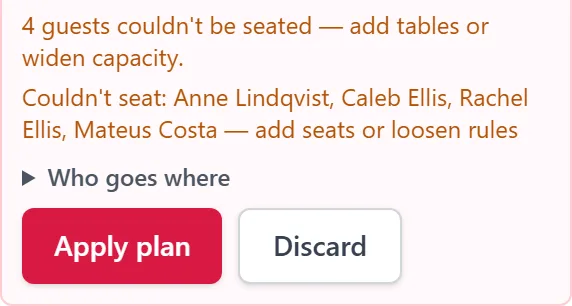
- Seat everyone is a rules-based algorithm, not AI. The preview shown is a draft of the demo room with four fewer chairs than guests.
- A caterer's link shows guest names and dietary needs only if the couple shares the guest list and seating with it, and never contact details. Every share link can be revoked.