For venues and vendors
Your room, where couples plan.
Couples and planners seat their guests on venue floor plans and choose vendors from the directory. Claim your listing so what they find is yours.
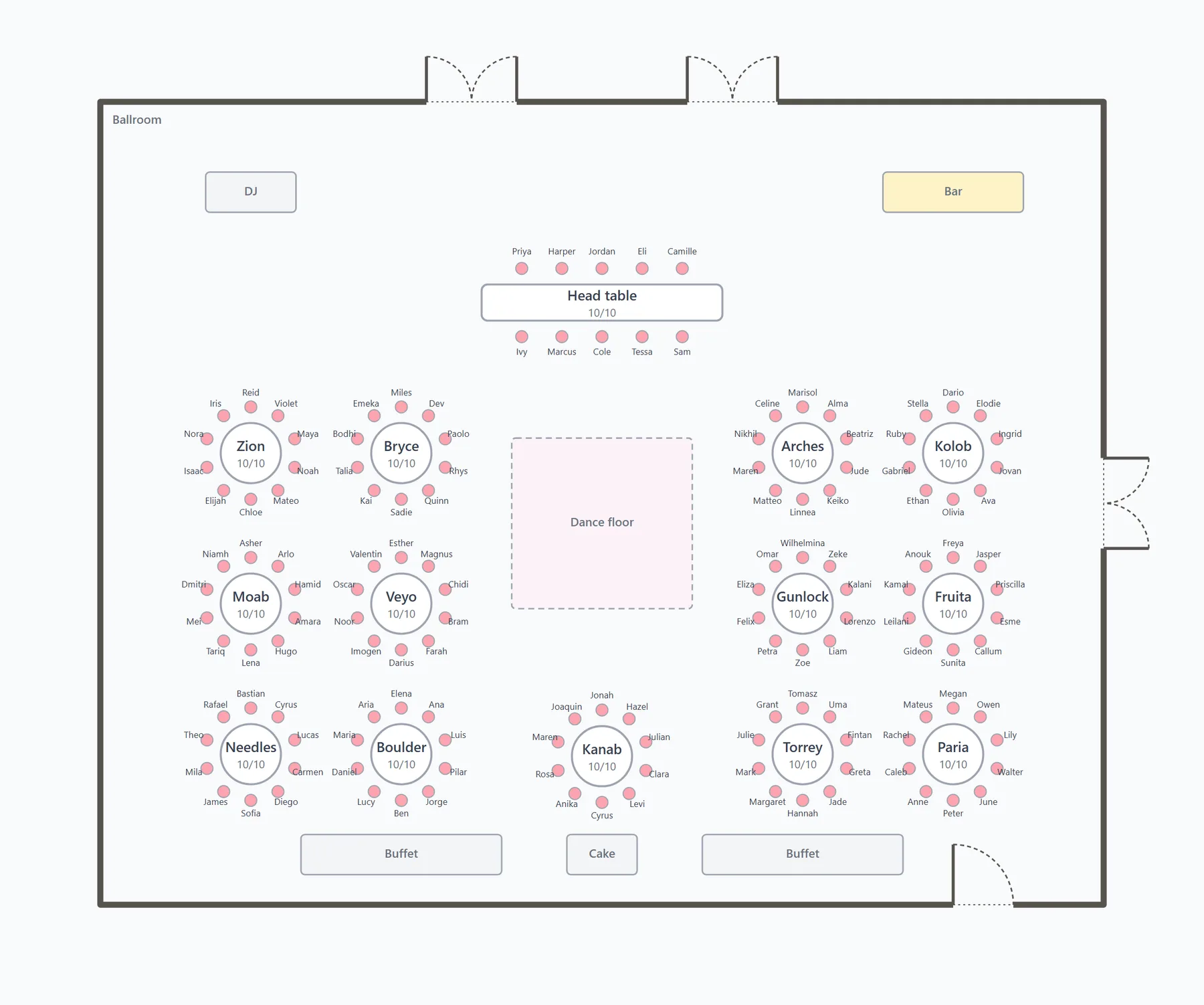
A reception laid out on a ballroom drawn in feet, doors and all.1
For venues
Your room, in real feet.
A couple starts from your floor plan and lays out tables, chair rows and the dance floor at real scale. They're warned when a table blocks a door or a gap gets tight, long before anyone orders rentals.
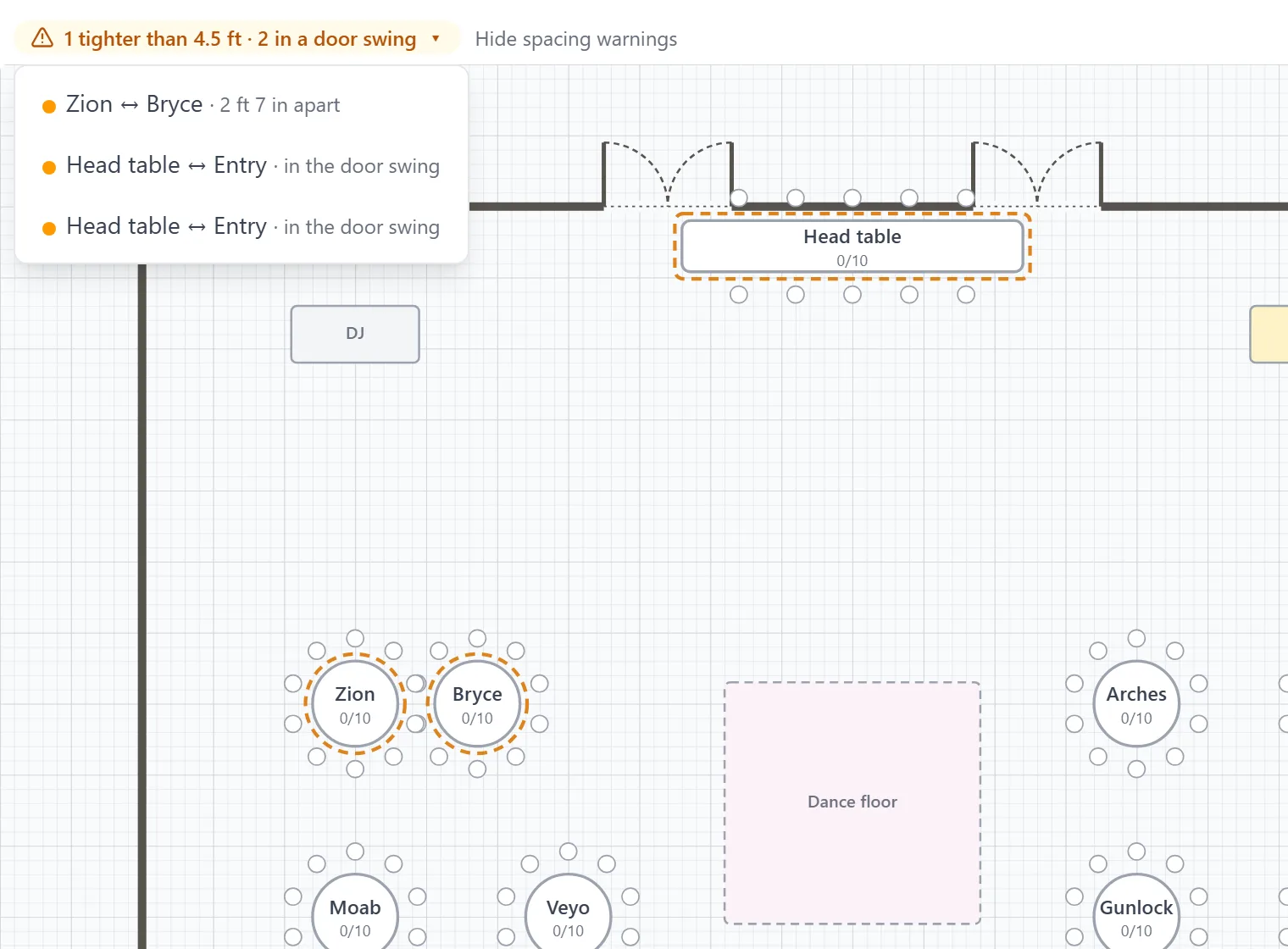
Warnings in feet and inches. A table in a door swing, or two tables too close, is flagged by name. Pick a warning and the plan pans to it.
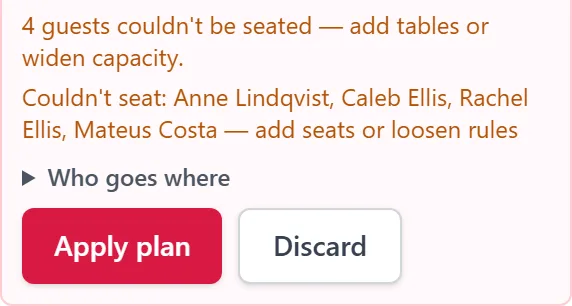
Seat everyone. One click seats the room, and the preview names anyone who had to be split up or left out before anything is saved.2
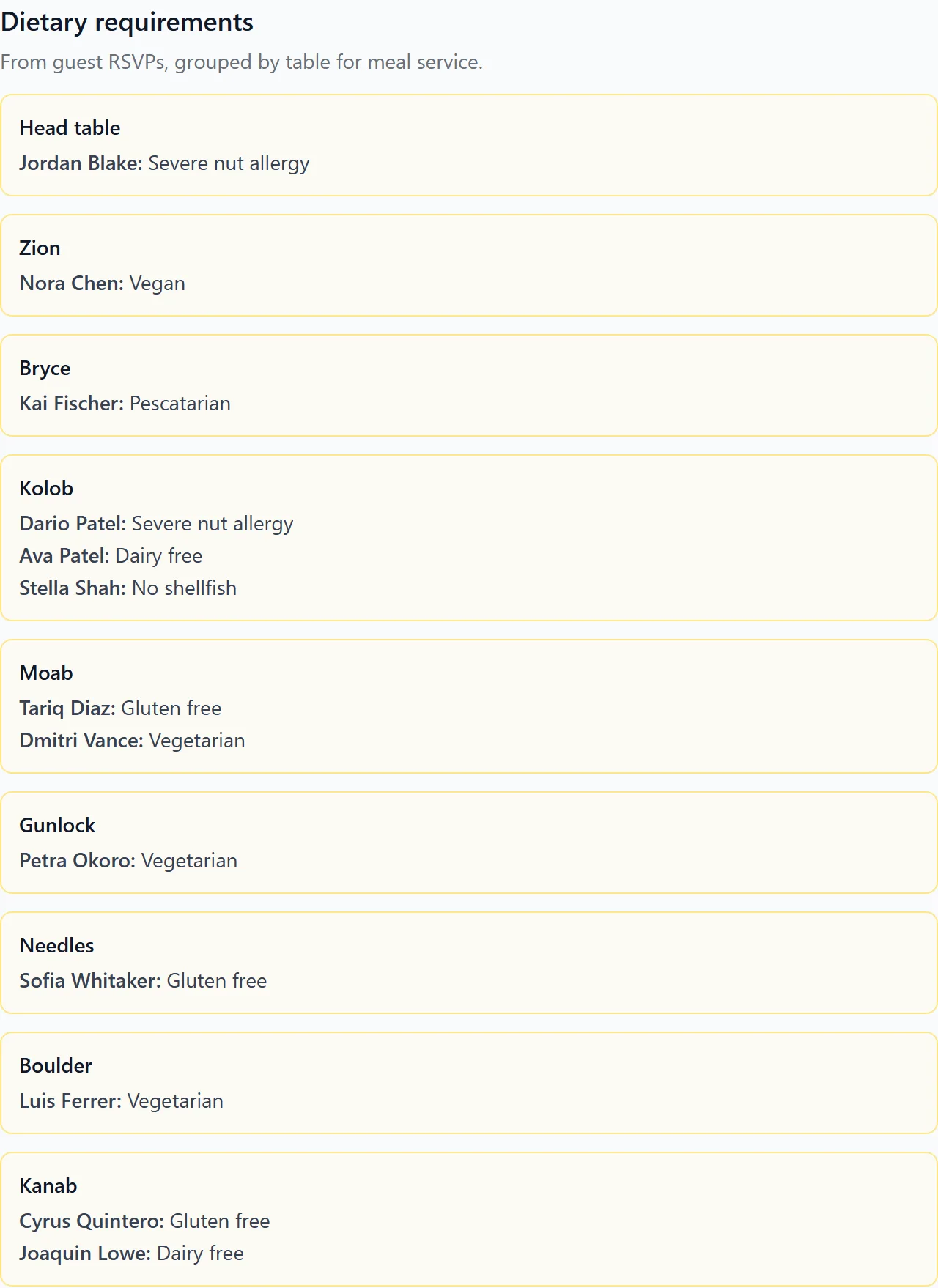
Counted from the plan. Tables and chairs by type for the rental company, and a catering list by table for the kitchen.
Your plan, if you publish it. Library floor plans are a starting point.1 Once you’ve claimed your listing, you can publish your official plans, so couples start from the right room.
For vendors
Your times, confirmed from one link.
When a couple or their planner shares the day with you, the link opens their timeline with a Confirm button on every moment. Confirm or leave a comment. There's no account to create.
Confirmed means confirmed. If a time moves, you’re asked to confirm again.
Names, never numbers. A caterer sees dietary needs by table with guest names, only if the couple shares them, and never phone numbers or addresses.
Claim your listing
Already listed? Make it yours.
Hundreds of Utah wedding vendors are listed where couples plan. Claiming is free: a code goes to the email on your listing, so only someone who can read that inbox can claim it.
1
Find your listing Search the directory in the app for your business.
2
Enter the code A six-digit code goes to the address on your listing and works for 15 minutes. No email on file? Our team reviews the claim instead.
3
Make it right Correct your details. Venues can publish their official floor plans.
Claiming happens in the app, which is invite-only during the beta.
- Library floor plans are a starting point, and most are simple room outlines, so check the plan against your venue before rentals are ordered. The directory and venue floor plans cover Utah today; the planning tools, and the vendor links couples share, work for a wedding anywhere. The ballroom shown was drawn in the product for a demo wedding.
- Seat everyone is a rules-based algorithm, not AI. The preview shown is a draft of the demo room with four fewer chairs than guests.